Follow these 8 steps for a secure setup
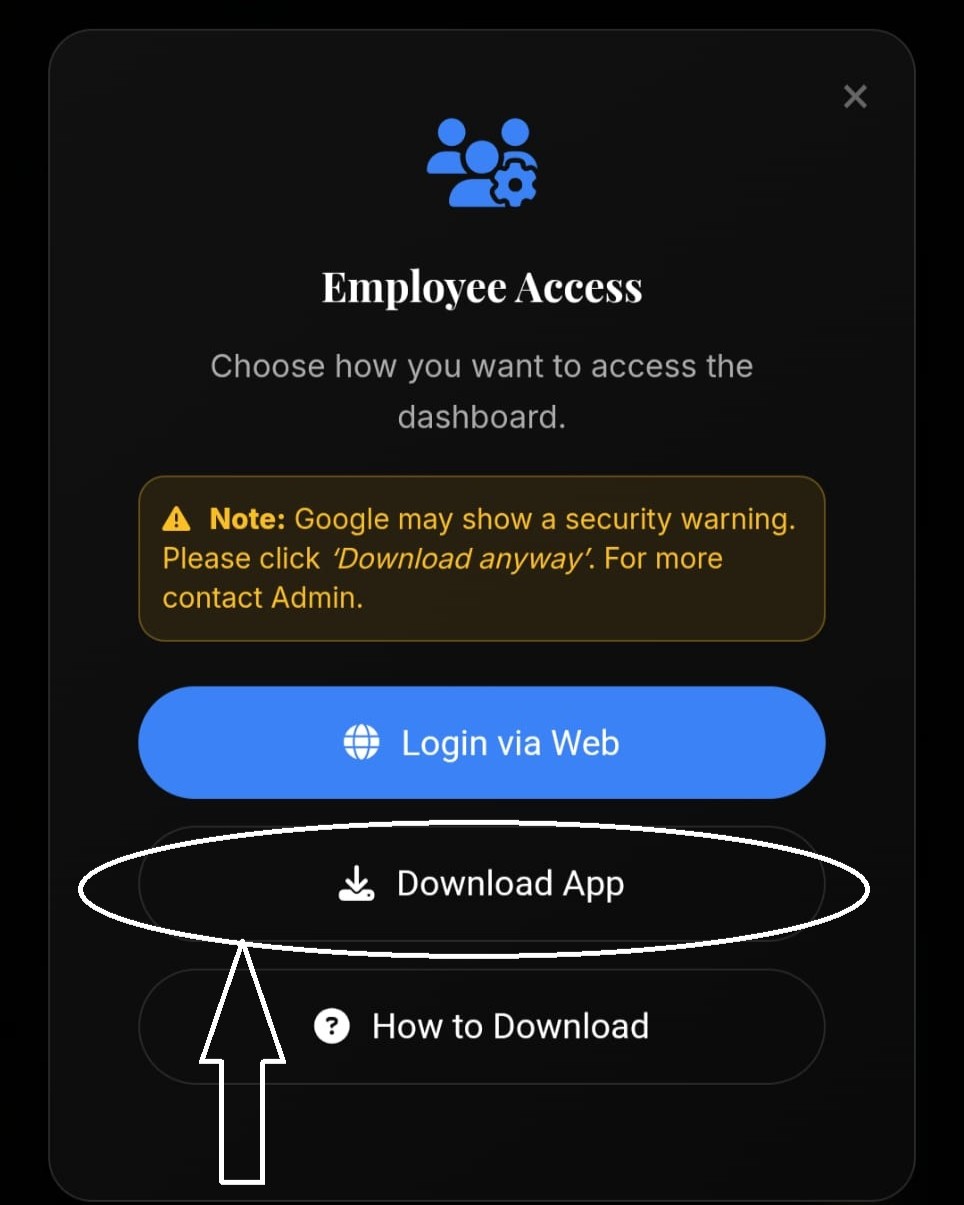
Open Employee Access screen and tap on Download App option to start the process.
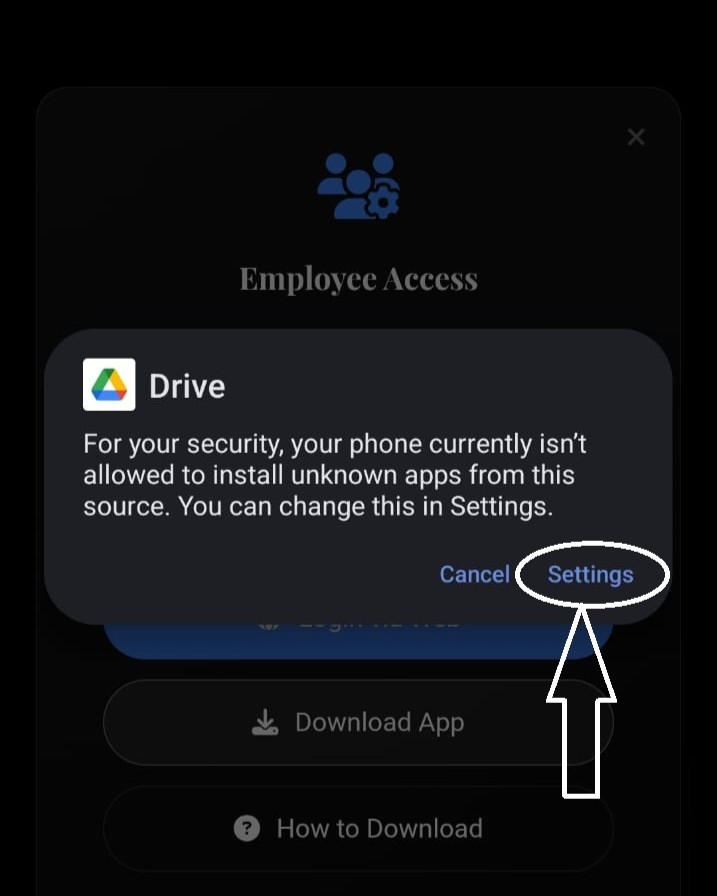
A Google security message may appear saying installation from this source is not allowed. Tap on Settings to continue.
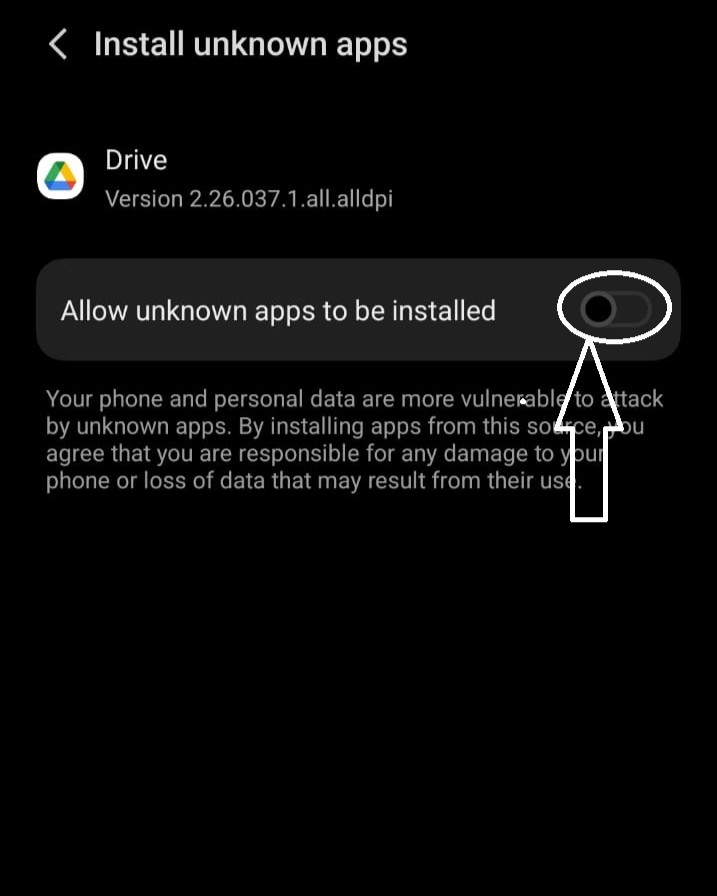
In settings, enable Allow unknown apps to be installed for Google Drive (or the browser you’re using).
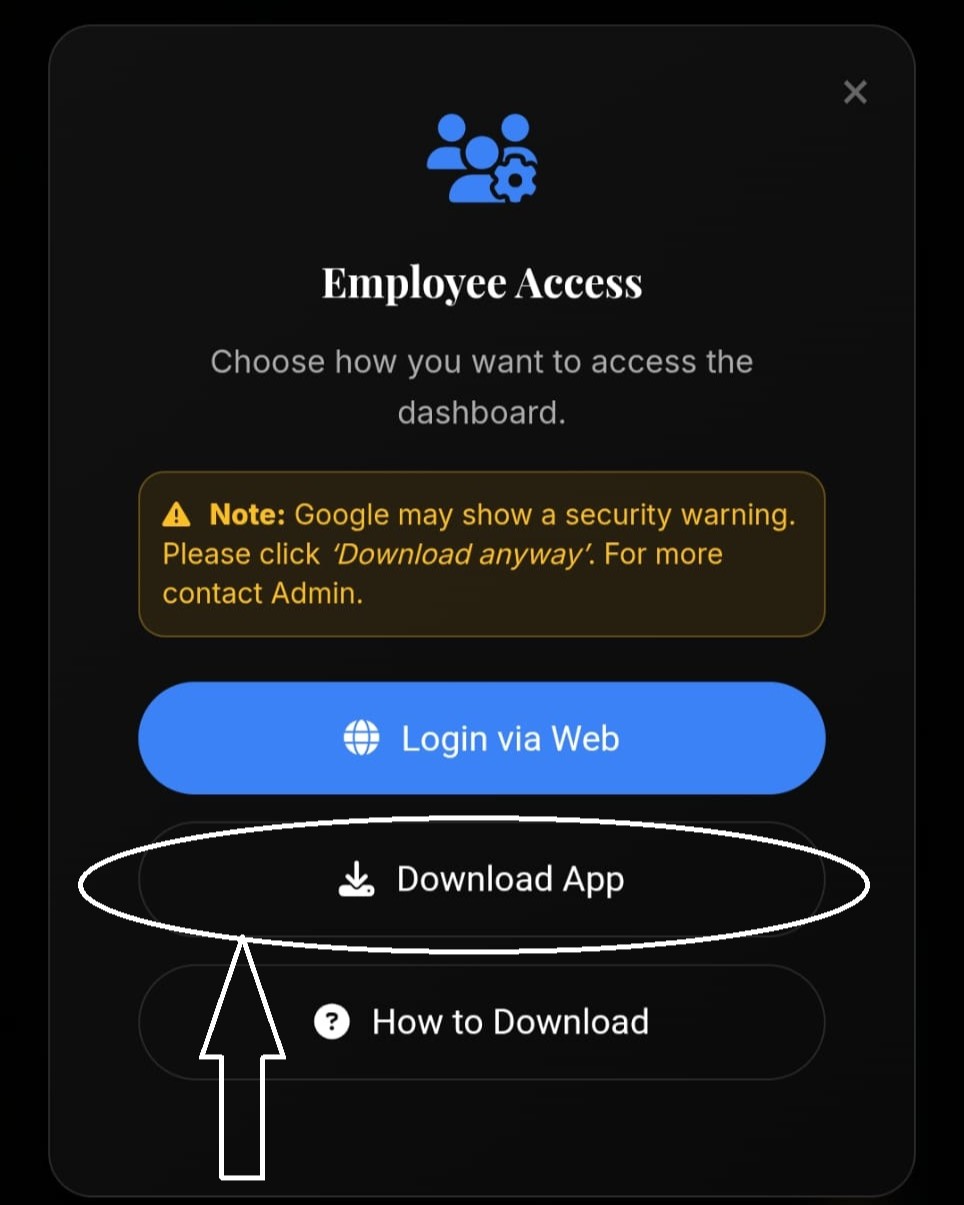
Return back and tap Install when prompted to install Aryanta E.M.P.
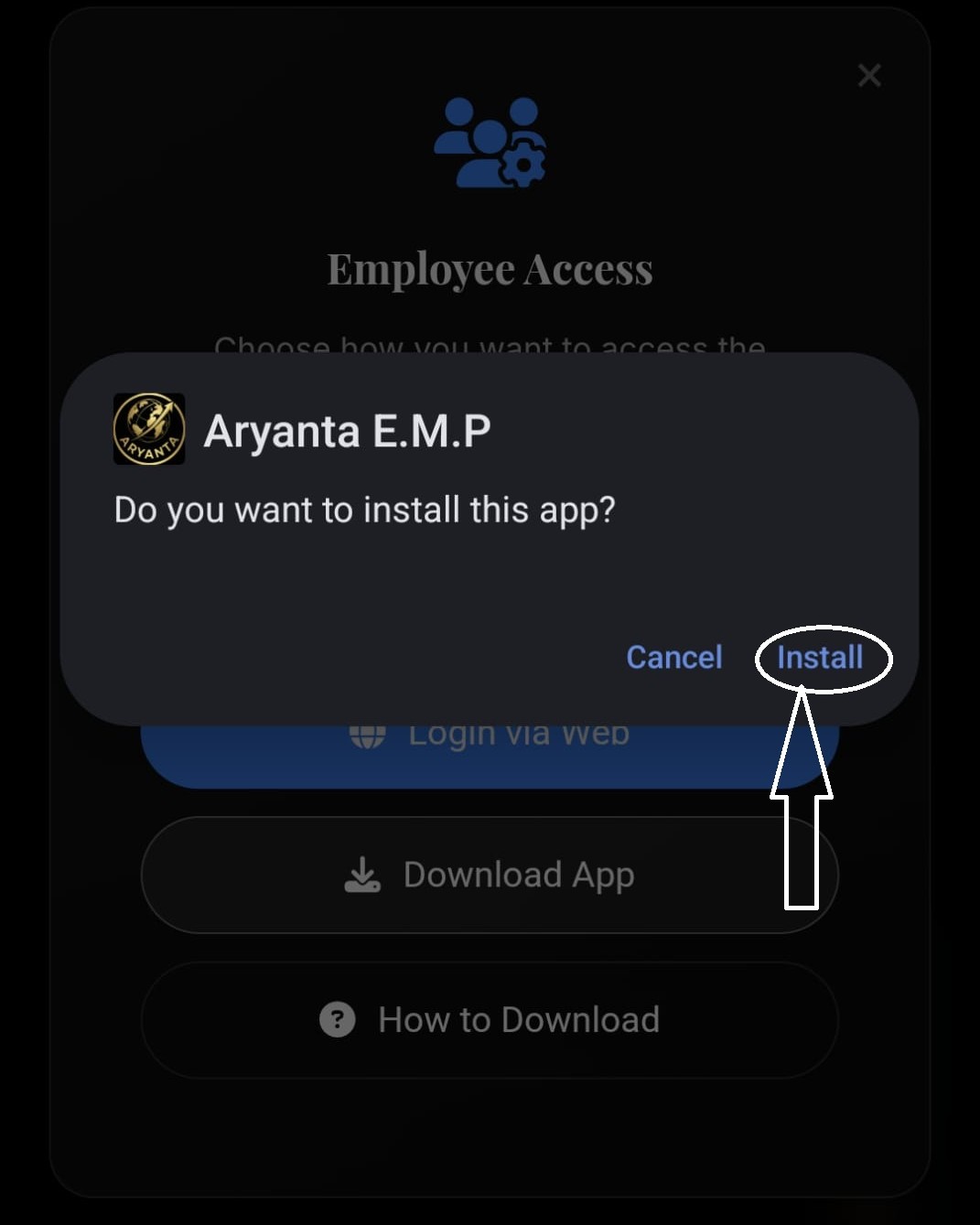
Wait a few seconds while the application is installing on your device.
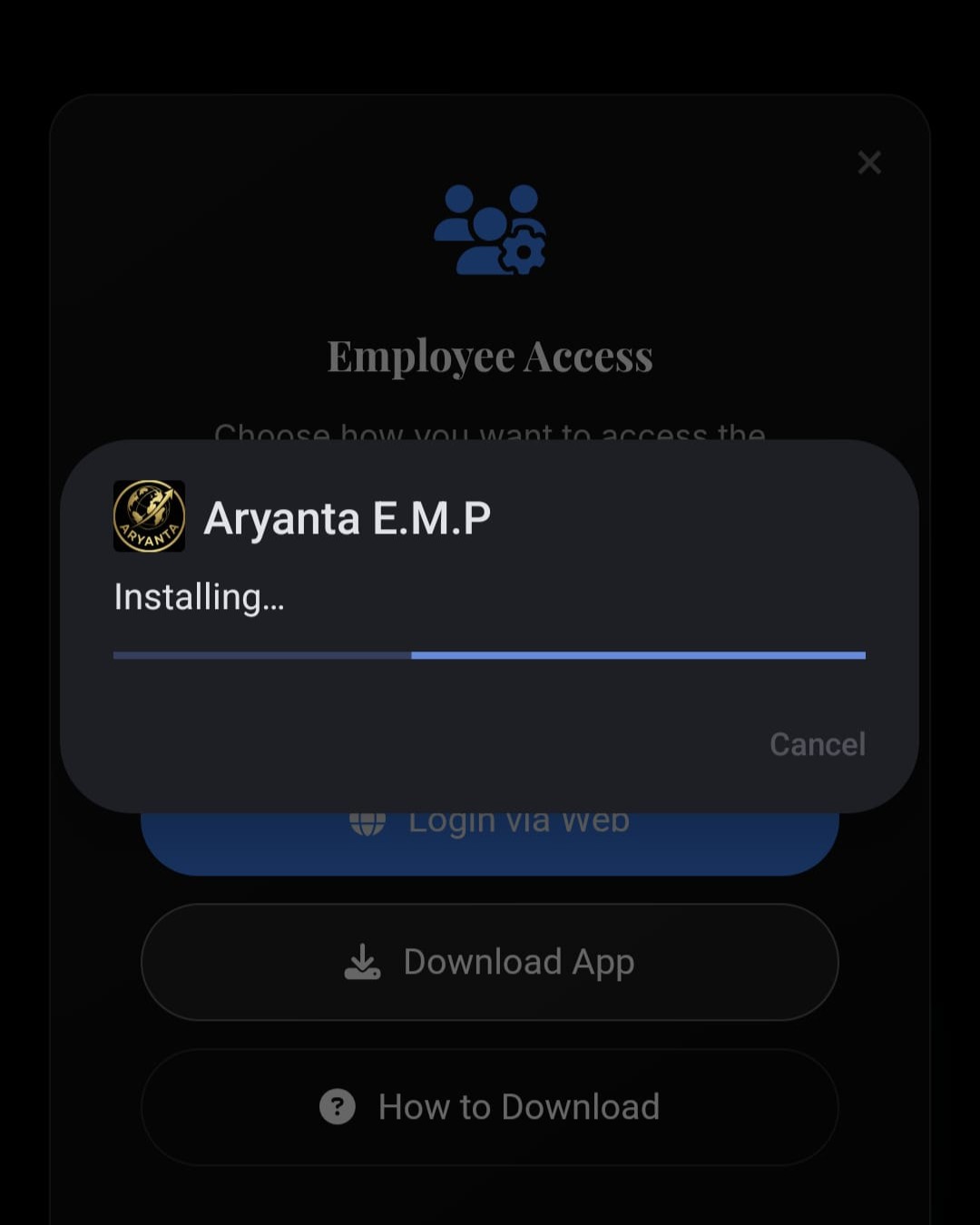
Once installed, you will see App installed confirmation.
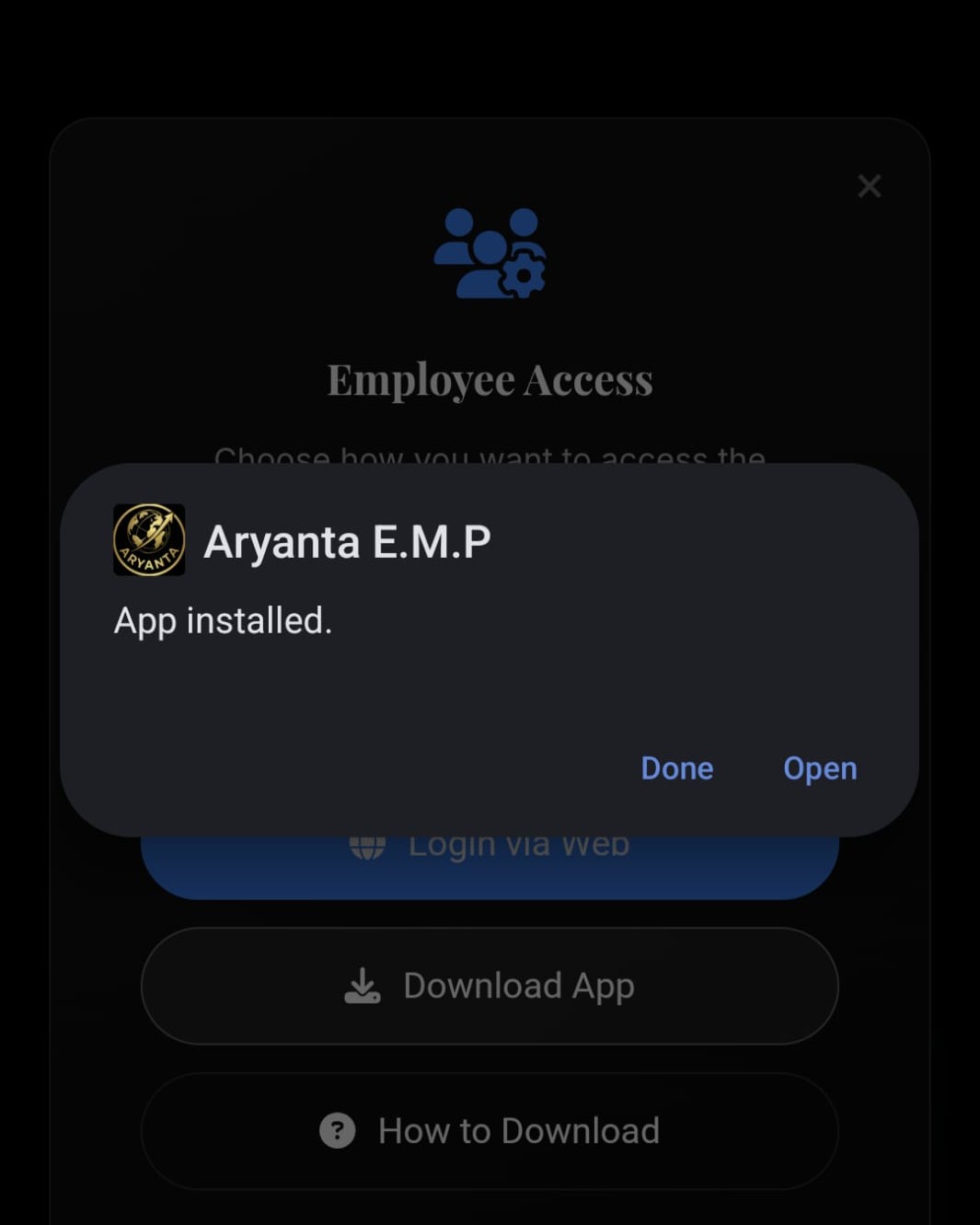
Tap Open to launch Aryanta E.M.P and start using the employee dashboard.
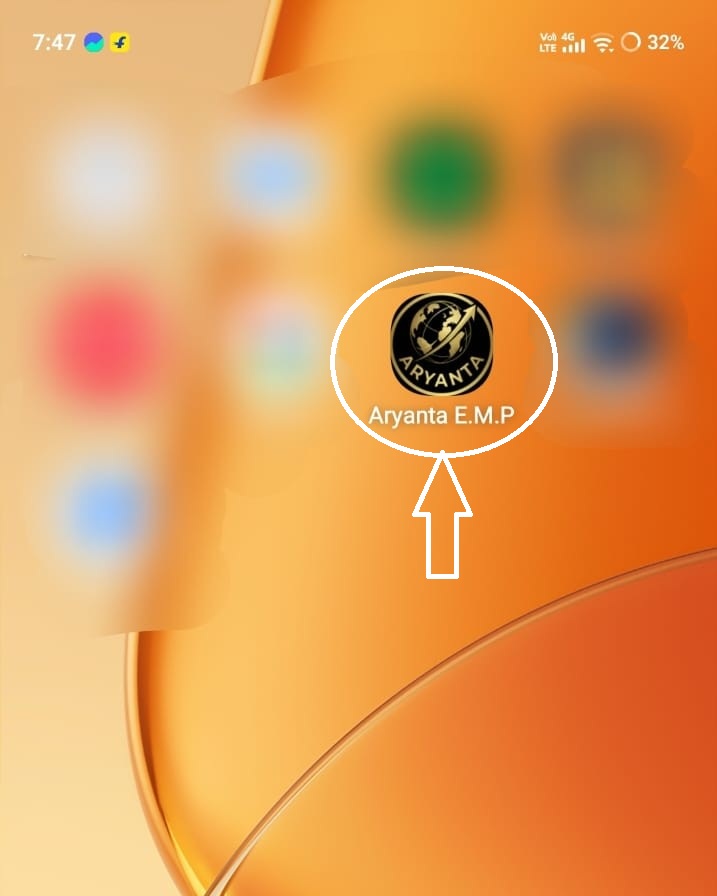
Your app is now successfully installed.
You can find Aryanta E.M.P on your mobile home screen.
Tap the app icon to open and start using the employee dashboard.